For most homeowners installing a camera in one permanent location, a wired, plug-in, or PoE setup is generally the better choice. It provides continuous power, avoids routine charging, and is better suited to frequent recording.
Choose a battery camera when wiring is impractical, you rent your home, or you need the freedom to move the camera. Battery models work especially well around apartment doors, balconies, sheds, and other locations without convenient power.
Battery is usually easier to install. Wired is usually easier to maintain.
This guide compares battery and wired security cameras across installation, reliability, recording, maintenance, outages, cost, and Canadian winter use.
Battery vs wired security cameras at a glance
| If you care most about | Better choice | Why |
|---|---|---|
| Easy initial installation | Battery | No permanent power cable is required |
| Flexible placement | Battery | Easier to move when your needs change |
| Renting or avoiding permanent changes | Battery | More compatible with removable mounting |
| Continuous power | Wired | Does not depend on periodic recharging |
| Frequent or continuous recording | Wired | Better suited to higher power use |
| Minimal routine maintenance | Wired | No battery-removal and charging schedule |
| Permanent driveway or garage coverage | Wired | Better fit for a fixed monitoring location |
| Short household power outages | Battery | May continue operating while charged |
| Exposed Canadian winter locations | Usually wired | Avoids cold-related battery drain, but weather specifications still matter |
| Locations without an outlet or cable route | Battery | More practical when wiring is difficult |
The quick answer
A wired security camera is usually better for a house, driveway, garage, or other permanent location where reliable power and low maintenance matter.
A battery security camera is usually better for an apartment, rental home, temporary installation, or location where running a cable would be difficult.
Neither option is automatically better for every home. The right choice depends on the installation location and the kind of recording you expect—not just which camera looks easier to mount.
First, what does “wired security camera” mean?
“Wired” can describe several different camera systems. They should not all be treated as identical.
Plug-in Wi-Fi camera
A plug-in Wi-Fi camera receives power through a cable but sends video over Wi-Fi. It avoids battery charging, but its remote access and alerts can still depend on the strength of the wireless network. This is often the simplest wired option for indoor entryways, garages, and rooms with a nearby outlet.
Hardwired camera
A hardwired camera connects to a permanent electrical supply instead of a standard plug. Some floodlight cameras and video doorbells use this arrangement. Installation may require more planning and, depending on the product and local requirements, professional electrical work.
PoE security camera
A Power over Ethernet camera can receive both power and network data through one compatible Ethernet cable. This can provide a more stable connection than a Wi-Fi camera, but the home needs suitable cabling and a compatible PoE switch, injector, or recorder. Exact requirements vary by system.
Traditional wired DVR or NVR system
A multi-camera wired system may connect cameras to a central recorder. These systems can suit homeowners who want several fixed cameras and local video storage, but they require more installation work than a single battery or plug-in camera.
This distinction matters because a plug-in Wi-Fi camera is not the same as a PoE system. One removes the need for battery charging; the other may also remove Wi-Fi from the camera-to-network connection.
What is a battery security camera?
A battery security camera uses an internal or removable rechargeable battery as its main power source. It normally connects to the home network through Wi-Fi. Battery power makes placement easier because the camera does not need to sit beside an outlet or follow an Ethernet cable.
Renters should also review our apartment-friendly security camera guide before mounting a camera around a door, balcony, or shared space.
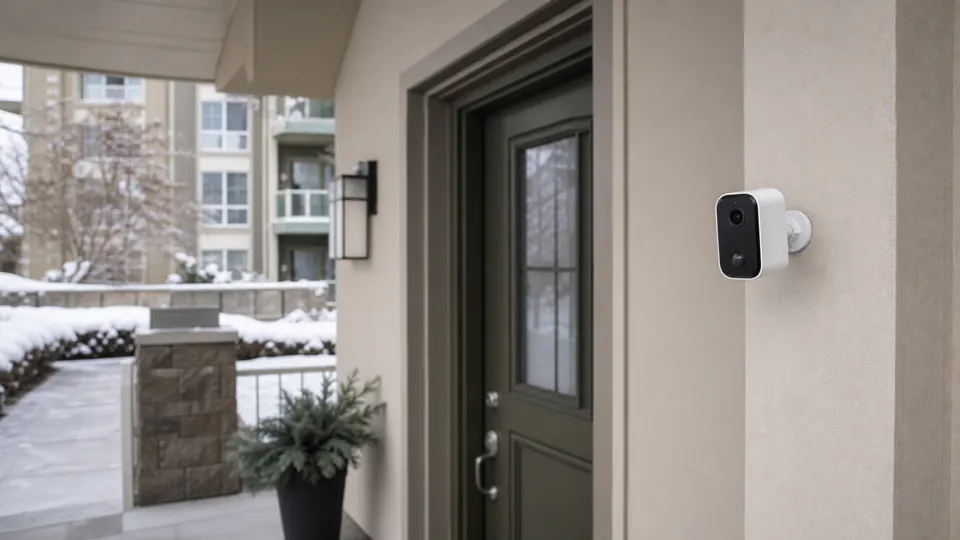
Battery models can be useful around apartment and condo entryways, balconies, patios, sheds, detached areas, temporary monitoring locations, front doors without usable wiring, and places where drilling or permanent cabling is not allowed.
That flexibility comes with an ongoing responsibility: the battery must remain charged. Battery life is not one fixed number. It can change with motion frequency, recording length, live viewing, night vision, Wi-Fi quality, temperature, and camera settings.
A camera facing a quiet covered doorway may need much less power than the same model facing a busy sidewalk or driveway.
What is a wired security camera?
A wired security camera uses a continuous external power source. Depending on the system, it may plug into an outlet, connect to fixed electrical wiring, or receive power through Ethernet.
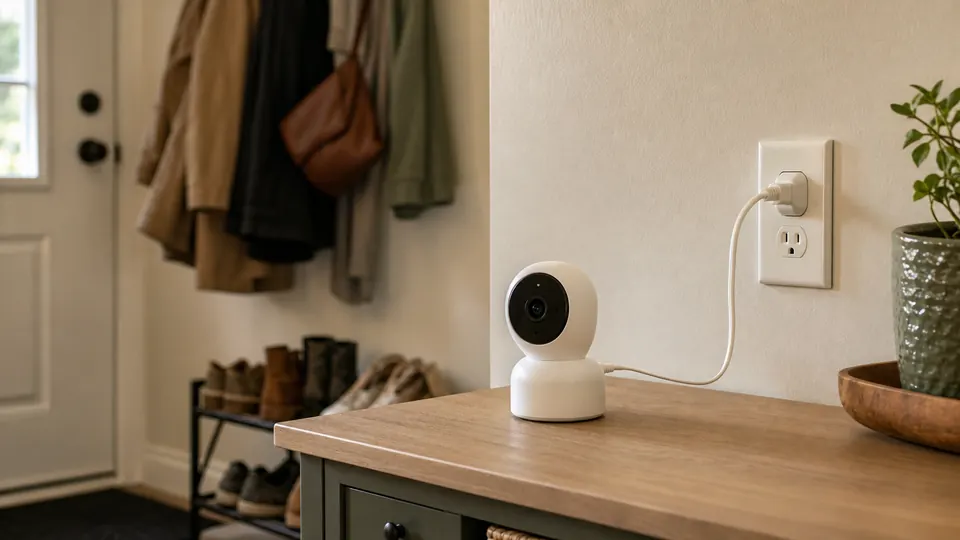
The main advantage is not that the camera is automatically more secure. The advantage is that you remove battery charging from regular maintenance.
Wired cameras often make more sense for driveways, garages, back doors, permanent outdoor positions, indoor entryways with an outlet, areas with frequent motion, users who want longer or more frequent recording, and multi-camera systems with local recording.
The trade-off happens at installation. A wired camera may require outlet access, cable routing, drilling, weather-protected connections, or professional help.
Battery vs wired: the key differences
1. Installation
Battery cameras usually win on initial installation. You can choose the viewing angle first and worry less about the nearest outlet. Removable mounts can also make a battery camera easier to use in a rental.
Wired cameras require a power plan. That may be as simple as placing an indoor camera near an outlet, or as involved as running Ethernet to several outdoor cameras. An easy first day does not always mean easy long-term ownership: a battery camera installed high above a garage may become inconvenient every time it needs charging.
Before choosing battery power, ask whether you can reach the camera safely, whether it must be removed for charging, whether you will want to do that during winter, how much motion it will detect, and whether the mounting location has enough Wi-Fi signal.
2. Everyday maintenance
Wired cameras usually win on routine maintenance. Once a suitable wired camera is installed, it does not need to be removed every few weeks or months for charging. You may still need to clean the lens, check recordings, install updates, and inspect outdoor connections, but power becomes less of a recurring task.
Battery cameras add a charging cycle: remove the camera or battery, bring it indoors, wait for it to charge, reinstall it, and check the viewing angle again. This may be easy beside an apartment door and annoying above an exposed driveway.
3. Recording behaviour
Wired cameras are generally better suited to frequent or continuous recording because they have continuous power. Many battery cameras conserve energy by waiting for motion, recording a clip, and returning to a lower-power state. Motion sensitivity, retrigger delays, clip length, and live-view use can affect both battery life and how much activity is captured.
This does not mean every wired camera records continuously or every battery camera misses events. Recording options depend on the individual model, storage method, subscription, and settings. Before buying, check whether recording is motion-triggered or continuous, maximum clip length, cooldown behaviour, local storage support, cloud-plan requirements, and whether continuous recording needs a specific power source.
4. Power and network reliability
A wired power connection removes battery depletion as a cause of downtime, but it does not make the entire system immune to failure. A plug-in Wi-Fi camera can still lose its connection if the router goes offline. A PoE camera can still be affected by a failed cable, switch, recorder, or household power outage.
A battery camera may remain powered during a short outage, but remote access will usually still depend on the modem, router, and internet connection having power.
Think of the system as three separate decisions:
- Power: battery, outlet, hardwiring, or PoE
- Data connection: Wi-Fi or Ethernet
- Storage: cloud, microSD card, built-in memory, hub, DVR, or NVR
“Battery vs wired” answers only the first part. Power and storage are separate decisions. Our local storage vs cloud security cameras comparison explains where footage is saved and how that affects monthly cost and remote access.
5. Placement flexibility
Battery cameras win when the monitoring location may change. They are easier to move between a front door, balcony, shed, or temporary outdoor area. This can be valuable for renters or people who are not ready to commit to a permanent system.
Wired cameras work best when the viewing location is already known and unlikely to change. Once cables have been routed neatly, moving the camera may mean repeating part of the installation.
6. Upfront effort and long-term cost
Battery cameras often require less initial installation work. Wired systems may require cables, mounting hardware, a PoE switch, a recorder, or professional installation. But the camera price is not the complete cost.
Consider installation materials, optional professional installation, replacement batteries, solar accessories, local storage hardware, cloud subscription fees, and the time spent charging and reinstalling cameras.
A wired system can cost more to install and less effort to maintain. A battery camera can be inexpensive to place and more demanding over time. Cloud fees can change the long-term cost of either setup, so check whether security cameras need a subscription before comparing camera prices alone.
7. Privacy and security
A camera is not more private simply because it uses a wire. Privacy and security depend on account protection, two-factor authentication, software updates, local versus cloud storage, password practices, network configuration, shared-account access, and where the camera is pointed.
A PoE system with local recording may appeal to someone who wants fewer camera connections over Wi-Fi, but the system still needs to be configured and maintained properly. For apartments and condos, also check building rules and avoid aiming broadly at neighbouring doors or shared spaces.
Which setup should you choose?
Choose a battery camera if:
- You rent or may move
- Permanent wiring is not allowed
- There is no convenient outlet or cable route
- You need flexible placement
- The camera is easy to reach for charging
- You mainly need motion-triggered clips
- You are monitoring a temporary or lower-activity location
Choose a wired or plug-in camera if:
- The camera will remain in one place
- You want less charging maintenance
- The location has suitable power access
- You expect frequent motion
- You want longer or more frequent recording
- You are monitoring a driveway, garage, or permanent entrance
- You do not want to remove a camera during winter
Choose a PoE system if:
- You want power and data through Ethernet
- You are planning several permanent cameras
- Stable network connectivity is important
- You want to use an NVR or compatible local recording system
- You are comfortable routing Ethernet or paying for installation
Best choice by location
| Location | Usually the better fit | Reason |
|---|---|---|
| Apartment door | Battery or simple plug-in | Easier to remove and less likely to require permanent wiring |
| Indoor entryway | Plug-in Wi-Fi | Continuous power is easy when an outlet is nearby |
| Balcony | Battery | Flexible when outlets and drilling options are limited |
| Driveway | Wired or PoE | Better for a permanent, high-activity location |
| Garage interior | Plug-in or PoE | Power or Ethernet may already be accessible |
| Detached shed | Battery with optional solar | Useful where cable installation is impractical |
| Multi-camera house system | PoE or wired recorder system | Better suited to several fixed cameras |
| Temporary monitoring spot | Battery | Easy to move when the need changes |
For an apartment door or front entrance, see our Canadian guide to door cameras without subscription. If the front door is your only concern, compare doorbell cameras vs security cameras before choosing a general-purpose camera.
Which is better in Canadian winters?
For an exposed outdoor location, a continuously powered camera is often the easier long-term choice because it avoids cold-related battery drain.
Cold weather can reduce rechargeable-battery performance. Ring states that battery life may become shorter around freezing temperatures, while Google notes that its battery doorbell may not charge below 0°C. Operating limits and charging limits are not necessarily the same.
A camera may be able to operate at a certain temperature without being able to charge at that same temperature.
Always check both the published operating temperature and the published charging temperature for the exact model.
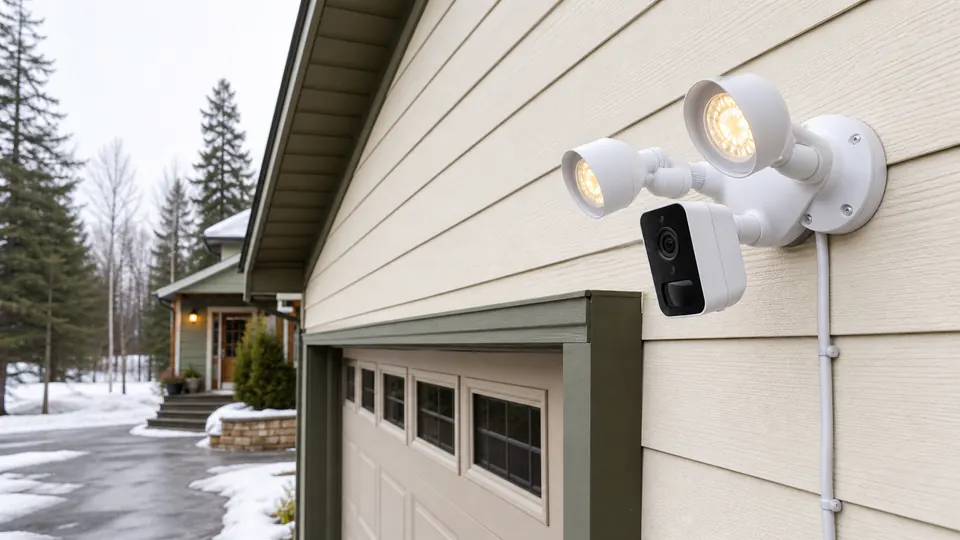
A camera under a covered porch in Vancouver is not dealing with the same conditions as a camera facing an exposed driveway in Winnipeg or Edmonton.
Battery camera winter considerations
- Cold may shorten the time between charges.
- High motion activity can increase power use.
- The camera may need to be brought indoors for charging.
- Snow, shade, and short winter days can reduce the benefit of a solar accessory.
- A sheltered location may perform differently from an exposed one.
Wired camera winter considerations
- Continuous power avoids battery charging.
- The camera still needs a suitable outdoor weather rating.
- Connectors and cable routes should be protected as required by the manufacturer.
- A wired camera can still stop during a household power outage.
- The published operating temperature still matters.
Do not choose a camera solely because the listing says “weatherproof” or “wireless.” Check the complete manufacturer specifications for the exact model.
What about solar security cameras?
A solar panel can reduce how often a compatible battery camera needs to be manually charged, but it does not turn the camera into a wired system.
Solar charging depends on direct sunlight, panel angle, seasonal daylight, snow and debris, camera activity, temperature, and compatibility between the camera and panel. Some solar accessories need several hours of direct sunlight per day to help maintain a charge, and results vary by product and installation.
Solar can be useful for a sunny shed, yard, or detached location where wiring is difficult. It is less convincing as a “no maintenance” solution for a shaded Canadian winter location.
Common mistakes to avoid
Assuming “wireless” means no cable
Wireless often describes the network connection, not the power source. A Wi-Fi camera may still need an outlet.
Choosing battery without planning how to charge it
The mounting position may look convenient until the first recharge. Think about safe access before installation.
Assuming wired automatically means continuous recording
Continuous recording depends on the model, storage, settings, and system—not only the power cable.
Treating local storage and power as the same decision
A battery camera can support local storage, and a wired camera can require a cloud subscription. Check storage separately.
Ignoring winter charging limits
Operating temperature and charging temperature can be different. Read the manufacturer’s instructions for the exact model.
Frequently asked questions
Which is better, battery or wired security cameras?
Wired security cameras are generally better for permanent monitoring, frequent recording, and people who do not want to recharge batteries. Battery cameras are better when easy installation, flexible placement, or renter-friendly mounting matters more.
Are wired security cameras more reliable than battery cameras?
A continuous power connection is usually more reliable for everyday use than a rechargeable battery. Overall reliability still depends on the network, recorder, cables, storage, installation quality, and backup power.
Do battery security cameras record continuously?
Many battery cameras use motion-triggered clips to conserve power. Some models may offer additional recording options when connected to compatible power, but continuous recording is more commonly associated with wired or plug-in systems. Check the exact model before buying.
Do wired security cameras work without Wi-Fi?
Some do. PoE cameras and traditional DVR or NVR systems can transmit video through cables, but app access and remote viewing may still require a network or internet connection. Plug-in Wi-Fi cameras still depend on Wi-Fi.
Do wired security cameras work during a power outage?
Usually not unless the camera, router, switch, and recorder are connected to suitable backup power. A charged battery camera may remain on, but remote access can still fail if the home network loses power.
Are battery security cameras good for Canadian winters?
They can be, provided the model’s operating and charging limits suit the location. Expect colder temperatures to reduce battery runtime, especially in exposed locations or areas with frequent motion.
Is a solar camera better than a wired camera?
Solar is useful where running a cable is difficult and the panel receives enough direct sunlight. Wired is generally more predictable for a permanent location with accessible power. Solar performance can change with shade, snow, season, and camera activity.
Is a plug-in camera considered wired?
It is wired for power but may still be wireless for data. A plug-in Wi-Fi camera is different from a PoE camera, which can carry both power and network data through Ethernet.
Final recommendation
For most homeowners installing a security camera in one permanent location, wired or PoE is the better long-term choice. It avoids routine charging and is generally better suited to frequent recording.
For renters, apartments, temporary installations, and locations where cables are impractical, a battery camera is the more flexible choice.
The simplest way to decide is to ask two questions:
- Can I run reliable power to this location?
- Am I willing to reach and recharge this camera throughout the year?
If reliable power is available and the camera will stay in one place, choose wired. If wiring is difficult and flexibility matters more, choose battery.
If you are ready to compare complete camera options, continue to our guide to the best no-subscription security cameras in Canada.
If you are still deciding what type of setup you need, browse the complete Home Security topic hub.
Sources and further reading
- Ring Devices and Extreme Temperatures
- Google Nest battery and cold-weather charging guidance
- Reolink introduction to Ethernet cable and PoE
- Ring solar chargers for battery doorbells